 ‧ Agnes Kazaryan ‧
March 07, 2026
‧ Agnes Kazaryan ‧
March 07, 2026  1891 ‧
 0
0
Your iPhone is already a pretty powerful camera. But raw footage is just the start – the real magic happens in editing. Whether you’re a content creator building a following, a small business owner making product videos, or just someone who wants polished clips to share with friends, the right app can make the whole process faster and more enjoyable.
The good news? The best video editing apps for iPhone in 2026 are genuinely impressive. Several of them rival desktop software from a few years ago – and some are completely free. The challenge is that there are a lot of options, and they’re not all built for the same person.
Quick Answer: The best video editing app for iPhone depends on your skill level and goals. iMovie is the top free pick for beginners. LumaFusion is the gold standard for professionals. InShot and CapCut are the go-to choices for social media creators who need speed and simplicity.
This guide cuts through the noise and gives you a clear, honest breakdown of the top options – what each app does well, what it doesn’t, and who it’s actually built for.
What are video editing apps for iPhone?
Video editing apps for iPhone are mobile applications that let you trim, arrange, and enhance video footage directly on your phone – no computer required. They range from simple one-tap tools to full-featured editors with multi-track timelines, color grading, and audio mixing.
A few years ago, mobile editing was considered a workaround. Now it’s a legitimate workflow for millions of creators. iPhones shoot in 4K at up to 60fps, and the chips inside them are fast enough to handle complex edits without lag. The apps have kept pace. In 2026, editing a short film, a YouTube video, or a polished brand reel entirely on your iPhone is completely realistic.
What separates a good video editing app from a great one is how well it balances power with usability – giving you the tools you need without making you dig through menus for 20 minutes just to trim a clip.
How do the top iPhone video editing apps compare?
Before diving into each app individually, here’s a quick side-by-side overview to help you narrow down your choices fast.
Each of these apps has a clear strengths-and-weaknesses profile. The right one for you depends on what you’re making, how often you edit, and whether you’re willing to pay for premium features.
The best video editing apps for iPhone in 2026
Here’s a detailed look at each app – what it does, who it suits, and what to watch out for.
iMovie
iMovie is Apple’s own editing app, and it comes pre-installed on every iPhone. It’s the obvious starting point for anyone who has never edited video before. The interface is clean, the learning curve is minimal, and there are no watermarks or paywalls on exports.
You get basic trimming, clip merging, titles, transitions, and a built-in music library. There’s also a Magic Movie feature that automatically assembles clips into a highlight reel – useful if you just want something quick without any manual work.
Where iMovie falls short is depth. You can’t do multi-track audio editing, advanced color grading, or keyframe animations. If you eventually outgrow it, the transition to a more powerful app is pretty natural. But for casual use, it’s hard to beat free.
Earning potential: iMovie is the right tool if your goal is to create content that drives traffic or sales – blogs, YouTube channels, or product demos – without spending anything upfront on software.
LumaFusion
LumaFusion is the closest thing to a desktop-grade editor on iPhone. It supports up to six video tracks and six audio tracks, advanced color correction, keyframe animations, and 4K export. It’s a one-time purchase at $29.99 – no subscription.
The interface takes some getting used to, especially if you’ve only ever used simpler apps. But the investment in learning pays off quickly. Creators who produce long-form YouTube content, documentary-style videos, or brand films tend to stick with LumaFusion because it simply handles more.
It also has a great asset management system, which matters when you’re working with multiple projects or large video libraries. If you’re serious about mobile editing, this is the app to get.
Earning potential: LumaFusion is the tool of choice for freelance video editors working on client projects, where output quality directly affects what you can charge.
InShot
InShot sits in the sweet spot between simple and capable. It’s designed primarily for social media content – square, portrait, and landscape formats are all supported, and you can resize clips for different platforms in seconds.
The free version is functional but adds a watermark to exports. The paid version removes that and unlocks additional filters, effects, and fonts. At around $3.99/month or a one-time fee for lifetime access, it’s reasonably priced.
InShot is especially popular with Instagram Reels and TikTok creators. The music library is solid, the sticker and text tools are fun, and the overall workflow is fast. It’s not built for complex, multi-layered projects – but that’s not what it’s trying to do.
Earning potential: InShot is ideal for creators monetising through brand deals or affiliate content on short-form video platforms, where turnaround speed matters as much as polish.
CapCut
CapCut has grown fast over the last couple of years, largely because it’s completely free and integrates natively with TikTok. It has a surprisingly powerful set of tools for a free app – auto-captions, AI background removal, speed ramping, and a library of trending templates.
The template feature is worth highlighting. If you want to recreate a specific editing style you’ve seen on TikTok or Reels, there’s a good chance CapCut already has a template for it. This makes it extremely efficient for creators who post frequently and want consistent-looking content without reinventing the wheel every time.
The main concern with CapCut is data privacy – it’s owned by ByteDance, the same company behind TikTok, and has faced scrutiny in some markets. If that’s a concern for you, InShot or iMovie are solid alternatives.
Earning potential: CapCut’s AI tools can significantly speed up content production, making it practical for creators managing multiple social channels simultaneously.
Adobe Premiere Rush
Adobe Premiere Rush is built for creators who already live inside the Adobe ecosystem. Projects sync across iPhone, iPad, and desktop via the cloud, which makes it genuinely useful if you start an edit on your phone and want to finish it on a computer.
The app has a drag-and-drop timeline, motion graphics templates, and colour tools that feel familiar if you’ve used Premiere Pro before. It’s not as fully featured as the desktop version, but it’s a credible mobile option for Adobe users.
The downside is the price – $9.99/month on its own, or bundled into a Creative Cloud subscription. If you’re not already paying for Adobe, the value proposition is less obvious compared to LumaFusion’s one-time fee.
Earning potential: Premiere Rush makes the most sense for agency or freelance workflows where cross-device collaboration is part of the job.
KineMaster
KineMaster is a feature-rich editor that sits between InShot and LumaFusion in terms of complexity. It supports multi-layer editing, blending modes, keyframe animations, and chroma key (green screen). The free version is capable but exports with a watermark – the premium tier at around $4.99/month removes it.
It’s a popular choice among YouTube creators and educators who need more control than InShot offers but don’t want to commit to LumaFusion’s learning curve. The asset store is also a nice touch – you can download additional templates, transitions, and music directly inside the app.
Earning potential: KineMaster’s green screen and overlay features make it useful for tutorial and explainer video creators, which is a content format that tends to perform well for affiliate marketing and online courses.
What to look for in a video editing app for iPhone
Not every feature matters equally to every creator. Here’s what to prioritise based on your situation.
Ease of use
If you’re new to editing, the interface is everything. A complicated app won’t make your videos better – it’ll just slow you down. iMovie and InShot are both designed to be picked up in under an hour. LumaFusion and KineMaster have steeper curves but reward the time investment.
Export quality
Most of the apps on this list support 1080p exports. For 4K, you’ll want LumaFusion, Adobe Premiere Rush, or KineMaster. If you’re only posting to Instagram or TikTok, 1080p is more than enough.
Audio tools
Good audio can matter more than good visuals. Look for apps that let you adjust volume levels per clip, add background music without it drowning out speech, and ideally record voiceovers. LumaFusion leads here. InShot and CapCut are decent. iMovie is the weakest.
Free vs. paid
Free apps often lock their best features behind a subscription or add watermarks to exports. If you’re just experimenting, start with iMovie or CapCut. If you’re producing content regularly, the cost of a paid app is minimal compared to the time you’ll save.
Platform optimisation
Some apps are built with specific platforms in mind. CapCut is optimised for TikTok. InShot handles aspect ratio switching effortlessly. If you know where your content is going to live, pick an app that speaks that platform’s language.
Pros and cons of editing video on iPhone
Mobile editing has genuine advantages – but it also has real limitations. Here’s an honest look at both sides.
The advantages
The biggest one is convenience. Your iPhone is always with you, which means you can capture footage and edit it in the same session – on the bus, between meetings, or during a lunch break. There’s no file transfer, no waiting to get back to your desk.
Mobile apps are also significantly cheaper than desktop software. LumaFusion at $29.99 one-time compares favourably to Final Cut Pro at $299.99 or a Premiere Pro subscription at $54.99/month. For many creators, the mobile option delivers 80–90% of the capability at a fraction of the cost.
And the sharing workflow is seamless. Once your edit is done, you can post directly to YouTube, TikTok, Instagram, or anywhere else without converting files or logging into a separate app.
The limitations
Screen size is the most obvious constraint. Detailed timeline work on a 6-inch screen is manageable but not comfortable for long sessions. Connecting to an external monitor or working on an iPad helps, but it adds friction.
Storage is another real consideration. A 4K video project with multiple clips and layers can eat through available storage quickly. If you’re editing regularly, you’ll want to stay on top of your iPhone’s storage or use external drives.
And while mobile apps have improved enormously, they still lag behind desktop editors for the most complex professional work – things like advanced VFX compositing or large-scale documentary editing with dozens of clips. For those use cases, desktop software is still the better tool.
Final thoughts – how to choose the right video editing app for your iPhone
The best video editing app for iPhone is the one that matches how you actually work – not the one with the most features.
Here’s a simple breakdown by experience level:
- Complete beginner: Start with iMovie. It’s free, watermark-free, and genuinely good enough for most casual editing needs. Once you feel limited by it, that’s your cue to upgrade.
- Intermediate / part-time creator: InShot or CapCut for social media content. KineMaster if you want more control without committing to a steep learning curve. All three have free tiers to try before you pay.
- Advanced / full-time or professional: LumaFusion is the obvious choice for most people. If you’re deep in the Adobe ecosystem or need cross-device syncing, Adobe Premiere Rush is worth the subscription cost.
One practical tip: download two or three apps and try them with the same short clip. You’ll quickly get a feel for which interface clicks with how your brain works. Most of the top options have free tiers or trial periods, so there’s no reason not to experiment before committing.
The best video editing apps for iPhone in 2026 are genuinely impressive tools. Whichever one you choose, the limiting factor is rarely the software – it’s how much you use it.
AliDropship: Your complete all-in-one solution for starting dropshipping in 2026
If you want the simplest possible way to start dropshipping – especially if you’re brand new – AliDropship remains one of the most beginner-friendly tools available in 2026. It brings together store creation, product imports, automation, and marketing into a single streamlined system designed to help you launch quickly and grow confidently.
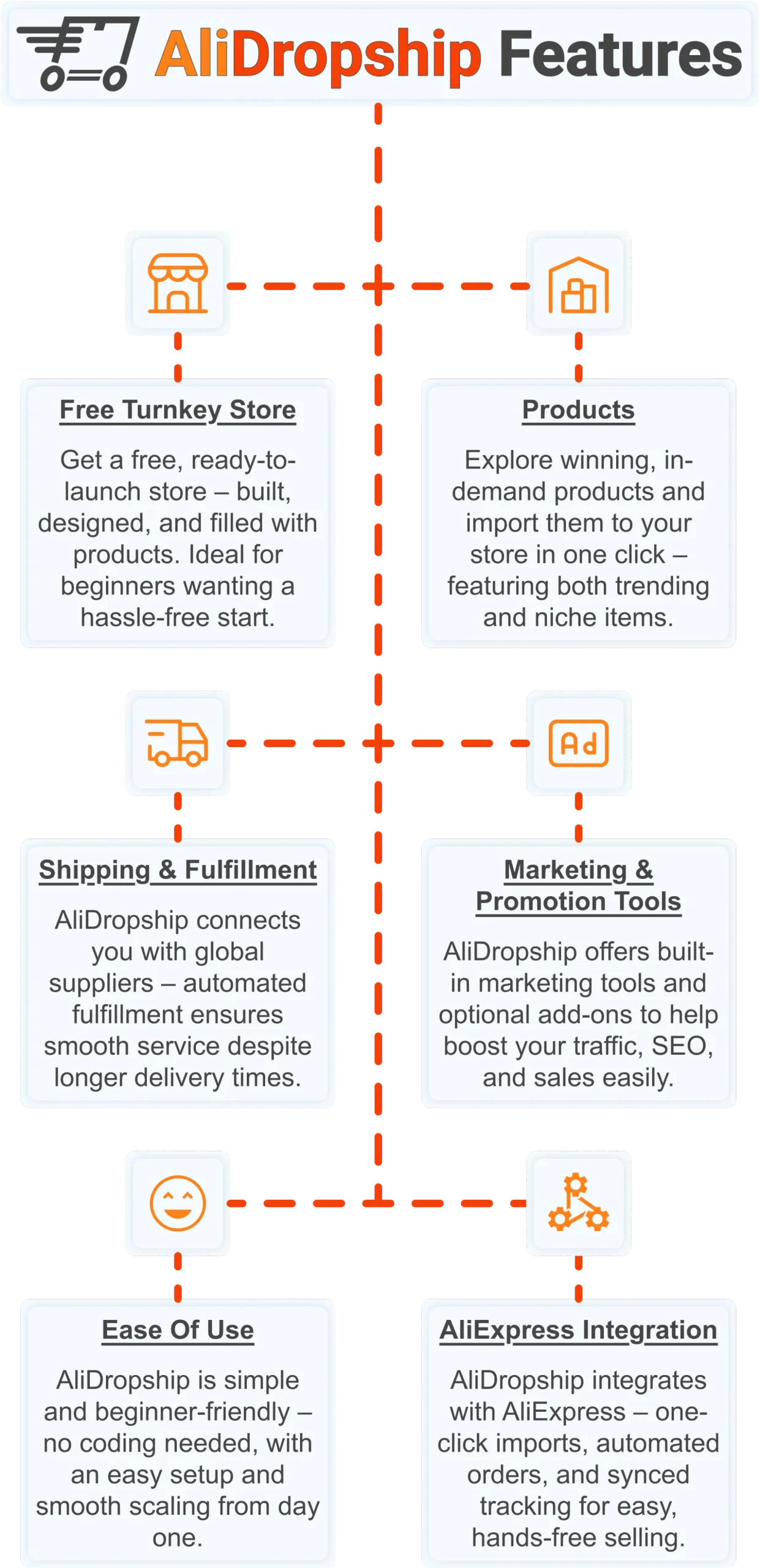
Free turnkey store ️
Get a free turnkey store – built, designed, and filled with products. Ideal for beginners wanting a hassle-free start, the store comes fully optimized to attract customers right away, saving you time on setup. Plus, it includes professional design elements to give your business a polished, trustworthy look from day one. This ready-made foundation makes it easy to move seamlessly into product selection.
Products
Once your store is set up, you can explore winning, in-demand products and import them in one click – featuring both trending and niche items. This wide selection lets you cater to diverse customer interests and test what works best. Regular updates ensure you always have fresh products, keeping your store competitive and relevant. With great products in place, smooth shipping becomes the next essential step.
Shipping & fulfillment
AliDropship connects you with global suppliers, and automated fulfillment ensures seamless order processing despite international delivery times. Customers receive real-time tracking updates, which builds confidence and trust in your store. Once shipping is handled reliably, you can focus on promoting your store and attracting traffic.
Marketing & promotion tools
To maximize sales, AliDropship offers built-in marketing tools and optional add-ons that help boost traffic, SEO, and conversions. From email campaigns and discounts to social media integration, these tools empower you to reach and retain customers without needing prior marketing experience. With promotion strategies in place, managing your business becomes simpler and more efficient.
Ease of use
AliDropship is beginner-friendly – no coding needed, with an intuitive dashboard that guides you through every step. Easy setup and smooth scaling let you expand your store without stress. As your business grows, adding new features, products, and marketing campaigns remains hassle-free, giving you more time to focus on sales.
AliExpress integration
Finally, AliDropship integrates seamlessly with AliExpress, enabling one-click imports, automated orders, and synced tracking. Your inventory stays up-to-date with the latest products and prices, while automated order processing frees you from manual tasks. Combined with the turnkey setup, reliable shipping, and built-in marketing tools, this integration ensures your dropshipping business is fully equipped for growth and success.
Frequently Asked Questions
What is the best free video editing app for iPhone?
iMovie is the top free pick for beginners since it comes pre installed on every iPhone with no watermarks or paywalls on exports. It includes basic trimming, clip merging, titles, transitions, and a built in music library, plus a Magic Movie feature that assembles clips automatically. CapCut is another strong free option, offering auto captions, AI background removal, and a large library of trending templates. Both apps are designed to be picked up in under an hour, even by someone who has never edited video before.
How much does LumaFusion cost and who is it best for?
LumaFusion costs 29.99 as a one time purchase, with no ongoing subscription required. It supports up to six video tracks and six audio tracks, advanced color correction, keyframe animations, and 4K export. Creators who produce long form YouTube content, documentary style videos, or brand films tend to stick with LumaFusion because it handles significantly more than lighter apps. It is generally considered the closest thing to a desktop grade editor available on iPhone.
Is CapCut safe to use given its ownership?
CapCut is owned by ByteDance, the same company behind TikTok, and it has faced scrutiny in some markets over data privacy concerns. The app remains completely free and integrates natively with TikTok, offering tools like auto captions, AI background removal, and speed ramping. For anyone concerned about data privacy, InShot or iMovie serve as solid alternatives that do not carry the same ownership concerns. The choice ultimately depends on how much weight a creator places on privacy versus CapCut convenient TikTok integration.
What is the price difference between mobile and desktop video editing software?
Mobile apps are significantly cheaper than desktop software, with LumaFusion priced at 29.99 one time compared to Final Cut Pro at 299.99 or a Premiere Pro subscription running 54.99 per month. For many creators, the mobile option delivers 80 to 90 percent of the capability at a fraction of the cost. Adobe Premiere Rush sits in between, costing 9.99 per month for a mobile app that syncs projects across iPhone, iPad, and desktop. The right choice depends on whether cross device workflow or one time cost matters more to the creator.
Which iPhone video editing app is best for exporting in 4K?
For 4K exports, LumaFusion, Adobe Premiere Rush, and KineMaster are the strongest options among the apps compared. Most other apps on the list, including iMovie, InShot, and CapCut, support 1080p exports, which is more than enough for platforms like Instagram or TikTok. KineMaster premium tier costs around 4.99 per month and removes the watermark present on its free version. Anyone planning to distribute video beyond social media, such as YouTube in higher resolution, should prioritize an app with confirmed 4K support.
If creating content on your iPhone has sparked an entrepreneurial idea, dropshipping is one of the lowest-barrier ways to turn that creative energy into a real income stream. Claim your free store and $100 gift voucher to get started today.
 Previous post
