 ‧ Agnes Kazaryan ‧
March 13, 2026
‧ Agnes Kazaryan ‧
March 13, 2026  640 ‧
640 ‧
 0
0
Most ecommerce store owners check their traffic numbers every morning. Sessions, bounce rate, revenue – the usual suspects. But there is one thing almost nobody is actually looking at: what those visitors are doing on the page. Where they scroll. What they click. Where they get confused and leave. Microsoft Clarity gives you that picture – and it costs absolutely nothing.
Quick answer: Microsoft Clarity is a free user behavior analytics tool from Microsoft that shows you how visitors interact with your site through heatmaps, session recordings, and AI-powered summaries. There is no session cap, no premium tier, and no cost – making it one of the most practical tools available for ecommerce store owners in 2026.
If you run an online store and you are not using a behavior analytics tool, you are making optimization decisions blind. Microsoft Clarity closes that gap in about ten minutes of setup – and what you find inside will likely surprise you.
Before diving into the features, it is worth understanding why this kind of data matters specifically for ecommerce. Traffic without behavior insight is like getting a phone call with no sound – you know someone is there, but you have no idea what they need. Clarity turns that silence into a full picture.
What is Microsoft Clarity?
Microsoft Clarity is a free behavior analytics platform launched by Microsoft in 2020 and now used on millions of websites worldwide. Unlike traditional analytics tools that focus on numbers – page views, sessions, conversions – Clarity focuses on behavior. It answers not just how many people visited a page, but what they actually did while they were there.
The platform has three core components. The Microsoft Clarity heatmap suite visualizes where users click, how far they scroll, and which page areas attract the most attention. Session recordings let you replay individual user visits as a video – every mouse movement, click, scroll, and pause captured in full.
And the Clarity dashboard surfaces AI-generated insights that automatically flag unusual behavior patterns, like pages with high rates of rage clicks or excessive scrolling.
For ecommerce, this combination is particularly powerful. You can watch a real visitor add a product to their cart, get confused at the checkout layout, and abandon – all in a two-minute replay. That kind of insight is almost impossible to extract from a standard analytics dashboard. And because Clarity is completely free with no session cap, you are not sacrificing coverage to save money.
Why this works in 2026: Consumer behavior is becoming more fragmented across devices and sessions. Tools that show qualitative behavior data – not just aggregate numbers – are increasingly essential for stores that want to close the gap between traffic and real conversions.
What Microsoft Clarity can realistically improve for your store
Microsoft Clarity does not directly generate revenue – it is a diagnostic tool, not a traffic source. What it does is help you identify friction points that are quietly costing you conversions. The improvements you make based on Clarity data can compound significantly over time, especially on product pages, landing pages, and checkout flows.
Here is a practical overview of what each Clarity feature typically reveals for ecommerce stores:
The ranges above reflect outcomes commonly reported by ecommerce practitioners – not guarantees. Results depend on your current store setup, traffic volume, and which specific issues Clarity helps you identify.
One note on these figures: Microsoft Clarity for ecommerce is most valuable once you are getting at least 200–500 sessions per week. Below that threshold, heatmaps and recordings will not have enough data to surface reliable conclusions. But once you hit that volume, actionable patterns typically emerge within two to four weeks – and many store owners find their first major fix within days.
How to set up Microsoft Clarity: A step-by-step guide for ecommerce
Getting started with Microsoft Clarity is one of the most friction-free tool setups in ecommerce analytics. No credit card required. No usage cap. No complicated data model to learn before you see useful information.
Creating your project
Go to clarity.microsoft.com and sign in with a Microsoft, Google, or Facebook account. Once logged in, click “Add new project,” enter your website name and URL, and select your industry – choose Retail or Ecommerce for the most relevant default settings. Clarity will generate a small JavaScript tracking snippet that you need to install on your site. The entire account creation process takes under three minutes.
Installing the tracking code
For WordPress stores, the easiest route is the official Microsoft Clarity plugin – search for it in the WordPress plugin directory, install it, and paste your Clarity project ID into the settings. For WooCommerce, Shopify, or custom-built stores, paste the generated snippet into your site’s head section manually or deploy it via Google Tag Manager. Either way, the code goes live in minutes and starts collecting data immediately.
Waiting for data to populate
After installation, Clarity begins recording sessions automatically. Your first heatmap data typically appears within two to four hours of the initial tracked sessions. You do not need to configure events or define goals manually – Clarity starts capturing behavior the moment the tracking code is live on your pages.
Reading your Microsoft Clarity heatmap data
Heatmaps are the most visually intuitive part of Clarity. They overlay color-coded data directly onto your actual pages, showing you at a glance where attention concentrates and where it drops off. Clarity offers three distinct heatmap views, each answering a different question about visitor behavior.
Click maps
Click maps show precisely where users are clicking – including elements that are not actually interactive. If visitors are repeatedly clicking on a product image that does not open a lightbox, or tapping a heading they expect to be a link, that friction is costing you engagement.
For ecommerce product pages, click maps regularly reveal that “Add to Cart” buttons are being overlooked while non-clickable product images receive heavy traffic – a layout signal with a straightforward fix.
Scroll maps
Scroll maps show what percentage of visitors reach each vertical point on the page. A typical finding on ecommerce product pages is that 60–70% of visitors never scroll past the first product image and the price – meaning your reviews, size guides, trust badges, and related products are largely invisible to most of your audience.
Knowing this lets you restructure pages to front-load the most persuasive information rather than burying it below the fold.
Area maps
Area maps group click data by defined sections of the page rather than individual pixels. This makes it easy to compare how much engagement different content blocks receive – for example, whether your product description or your social proof section is driving more interaction.
Area maps are especially useful on category pages where you want to understand which product cards are drawing the most clicks and whether your featured items are actually getting noticed.
Using Microsoft Clarity as a session recording tool
Session recordings are Clarity’s most powerful feature for diagnosing real problems. Each recording is a full video replay of a single user’s visit – mouse movement, clicks, scrolls, and pauses – with no setup required beyond the initial tracking code. Clarity automatically tags recordings with behavioral signals so you can filter and find the most revealing sessions without watching hours of footage.
Rage clicks
A rage click is detected when a user clicks the same element rapidly multiple times in frustration. This almost always signals something broken – a button that is not responding, a link that goes nowhere, or a form field that is not accepting input.
Sorting your recordings by rage clicks and watching the top five sessions per week will regularly surface a specific UI bug or confusing element you had no idea existed. Many store owners fix their first rage click issue within 24 hours of installing Clarity.
Dead clicks
Dead clicks occur when a user clicks on a non-interactive element – a text block, a product image, or a layout section – that they expected to behave like a link or button. On product pages, dead clicks on thumbnail images are a common signal that visitors want an image gallery or zoom feature that has not been implemented.
Dead click data from Clarity often produces a short, high-impact list of UX improvements that can be actioned without a developer in many cases.
Excessive scrolling
Excessive scrolling sessions show users who scroll up and down repeatedly – a strong signal that they are searching for information they cannot locate. On product pages, this typically means key details like price, shipping time, or return policy are buried too deep or not labeled clearly enough.
Watching a handful of excessive scrolling recordings is one of the fastest ways to identify structural problems in your product page layout without running a formal usability study.
The Clarity dashboard and AI insights
Beyond heatmaps and recordings, the Clarity dashboard gives you an at-a-glance view of key behavior metrics across all your pages. The Insights tab automatically surfaces sessions flagged for unusual behavior – like a sudden spike in rage clicks on your checkout page following a site update. This automated detection saves significant time compared to manually reviewing recordings to hunt for problems you did not know to look for.
Clarity also displays dead click rate, rage click rate, and JavaScript error rate per page. These three metrics alone serve as a useful weekly health check on your most important store pages. If your checkout page rage click rate jumps from 3% to 12% week over week, something broke – and Clarity surfaces this signal before your conversion rate data has a chance to catch up with the problem.
Why this works in 2026: Automated behavioral flagging means you do not need to be a data analyst to spot problems early. Clarity surfaces the signal; you decide what to fix. That division of labor is what makes it practical for solo store owners running everything themselves.
Microsoft Clarity vs Google Analytics: Which does what?
A common question among store owners is whether Microsoft Clarity replaces Google Analytics – or whether you need both running at the same time. The short answer is that they serve different purposes and complement each other directly.
The most practical setup for an ecommerce store in 2026 is to run both tools in parallel. Google Analytics 4 handles your traffic and conversion data – where visitors come from, which channels convert best, and what your revenue trends look like. Microsoft Clarity handles on-page behavior – what those visitors actually do once they arrive.
The two tools have a native integration: you can link your Clarity project directly to GA4 and filter your Clarity session recordings by GA4 segments, making it possible to watch the behavioral sessions of your cart abandoners, highest-spending customers, or any other audience segment you care about.
Five tips for getting more from Microsoft Clarity
Installing Clarity is the easy part. Getting consistent, actionable value from it requires a small amount of ongoing discipline. These five habits will make the difference between Clarity being a dashboard you glance at occasionally and a tool that genuinely drives your store decisions.
Prioritize your highest-traffic pages first
Start with the pages that already receive the most visits – your homepage, top product pages, and checkout flow. These are the pages where improvements will have the largest revenue impact.
Running heatmaps on a page that gets twenty sessions a month will not yield reliable data, but running them on a page with 500 weekly visits will surface clear patterns within days. Low-traffic pages can wait until you have addressed the obvious wins on your core pages first.
Filter session recordings by device type
Mobile and desktop users behave very differently. A button placement that works perfectly on a wide desktop screen may be completely off-frame on a small phone. Clarity lets you filter session recordings by device type – always review mobile recordings separately from desktop.
In most ecommerce stores, 60–70% of traffic arrives on mobile, which means mobile UX issues have a disproportionate impact on your overall conversion rate and are usually the highest-leverage place to start.
Review rage click recordings weekly
Set a recurring task to watch your top five rage click recordings each week. This single habit will catch broken elements, confusing navigation, and non-functional form inputs faster than almost any other monitoring method.
Rage clicks are nearly always a signal of genuine friction – and friction directly reduces your conversion rate in ways that do not always show up clearly in aggregate analytics data until they have already cost you a meaningful number of sales.
Compare heatmaps before and after layout changes
Whenever you make a structural change to a key page – moving a button, adding a social proof section, or redesigning a product card layout – capture the heatmap before and after the change.
Clarity allows you to set custom date ranges for heatmap views, so you can directly compare how user behavior shifted following your update. This turns Clarity from a passive diagnostic tool into a lightweight optimization framework where every change generates learning.
Use the GA4 integration for deeper audience segmentation
Once you have linked Microsoft Clarity to Google Analytics 4, you can filter session recordings by specific GA4 audiences – users who abandoned the cart, users who arrived via paid ads, or returning customers who have not purchased in 90 days. This is one of the most underused capabilities in Clarity.
Being able to replay the exact sessions of your highest-intent visitors and understand precisely why they did not convert is extraordinarily useful for improving your checkout flow and product page layout simultaneously.
Legal and ethical considerations for using Microsoft Clarity
Session recording tools collect detailed behavioral data from your site visitors – which means there are real privacy and compliance considerations to address before you go live with Clarity on your store. Getting these right is not complicated, but it does require a few deliberate steps.
Key principle: Any tool that records user behavior on your site must be disclosed in your privacy policy and, where required by applicable law, included in your cookie consent mechanism before any tracking begins.
GDPR and cookie consent
If your store serves visitors in the European Union or the UK, you are subject to GDPR requirements. Microsoft Clarity uses cookies and collects behavioral data, which means you must obtain explicit consent before the tracking code fires for EU-based users.
The cleanest implementation is to use a Consent Mode-compatible cookie banner and configure Clarity to initialize only after a visitor has actively accepted analytics cookies. Most modern cookie consent plugins – including the free versions of CookieYes and Complianz – support this configuration natively and require no custom code to set up.
Important: Do not install Clarity without a proper consent flow on EU-facing stores. Non-compliance with GDPR can result in regulatory fines, and it damages visitor trust when disclosed inadequately after the fact.
What Microsoft Clarity does not record
Microsoft Clarity automatically masks sensitive text fields by default – including password inputs, credit card fields, and other form elements it identifies as potentially sensitive. You can configure additional masking rules manually for any page elements that contain personal data specific to your store.
It is worth reviewing these masking settings when you first set up your project to confirm that no personally identifiable information is being captured in session recordings before you begin sharing them with your team.
Avoiding dark pattern optimization
Some store owners use session recording data in ways that exploit user confusion rather than resolve it – for example, deliberately keeping a confusing navigation structure in place because it leads visitors to spend longer on the site.
This is ethically problematic and increasingly subject to regulatory scrutiny under EU consumer protection frameworks. Use Clarity data exclusively to reduce friction and improve genuine usability – not to manufacture artificial engagement metrics that do not reflect real purchase intent.
Who should use Microsoft Clarity?
Microsoft Clarity is genuinely useful at every stage of ecommerce – but what you focus on inside the tool will shift depending on where you are in your store journey.
Complete beginner
If you have just launched your store or are still in the early traffic phase, install Clarity immediately – even before you have significant data. Getting into the habit of checking it regularly means you will already know how to read the dashboard when the data starts arriving.
At this stage, focus on the dashboard overview and flag any rage click or dead click issues as soon as they appear. For beginners, Clarity primarily serves as a bug-detection and store health monitoring tool – both of which matter even at low traffic volumes.
Intermediate / part-time seller
If you are receiving 200–1,000 sessions per week, Clarity becomes a genuine conversion optimization tool. Start running heatmaps on your product pages and reviewing at least ten session recordings per week. Pay particular attention to scroll depth patterns on your highest-traffic pages – specifically, how far visitors get before leaving without converting.
This is where most intermediate stores find their biggest low-hanging-fruit improvements, and where a focused two-week Clarity audit typically pays for itself in recovered conversions.
Advanced / full-time goal
At higher traffic volumes – 5,000 or more sessions per week – Clarity data becomes statistically robust enough to inform significant layout and product decisions. Integrate it fully with GA4, create custom segments for your highest-value visitor groups, and review behavior patterns by acquisition source.
Sellers at this level often use Clarity recordings alongside formal A/B testing tools to validate UX hypotheses before rolling out site-wide changes. The Clarity API also allows you to export behavioral data for custom reporting and dashboards if your operation has grown to that scale.
Final thoughts: How to get started with Microsoft Clarity today
Microsoft Clarity is one of the few genuinely free tools in ecommerce that delivers professional-grade insight without a paywall, a usage cap, or a steep learning curve. Whether you are just getting started or optimizing an established store, the information it surfaces – where visitors struggle, what they expect, and where they leave – is the kind of data that turns average stores into high-converting ones.
If you are a complete beginner, install the tracking code today and start building the habit of checking it weekly. If you are an intermediate seller with 200+ weekly sessions, run your first heatmap audit on your top product page this week – most stores find at least one actionable fix within the first session.
And if you are running a full-time operation, integrate Clarity with GA4, build out your audience segments, and start treating behavior data as a core part of your weekly optimization process.
Important note: The tool is only as useful as the store it is analyzing. Clarity will tell you what to fix – but you need a solid store foundation to apply those fixes to. If you are still in the early stages, a professionally built store gives you the right starting point before you begin optimizing.
AliDropship: Your complete all-in-one solution for starting dropshipping in 2026
If you want the simplest possible way to start dropshipping – especially if you’re brand new – AliDropship remains one of the most beginner-friendly tools available in 2026. It brings together store creation, product imports, automation, and marketing into a single streamlined system designed to help you launch quickly and grow confidently.
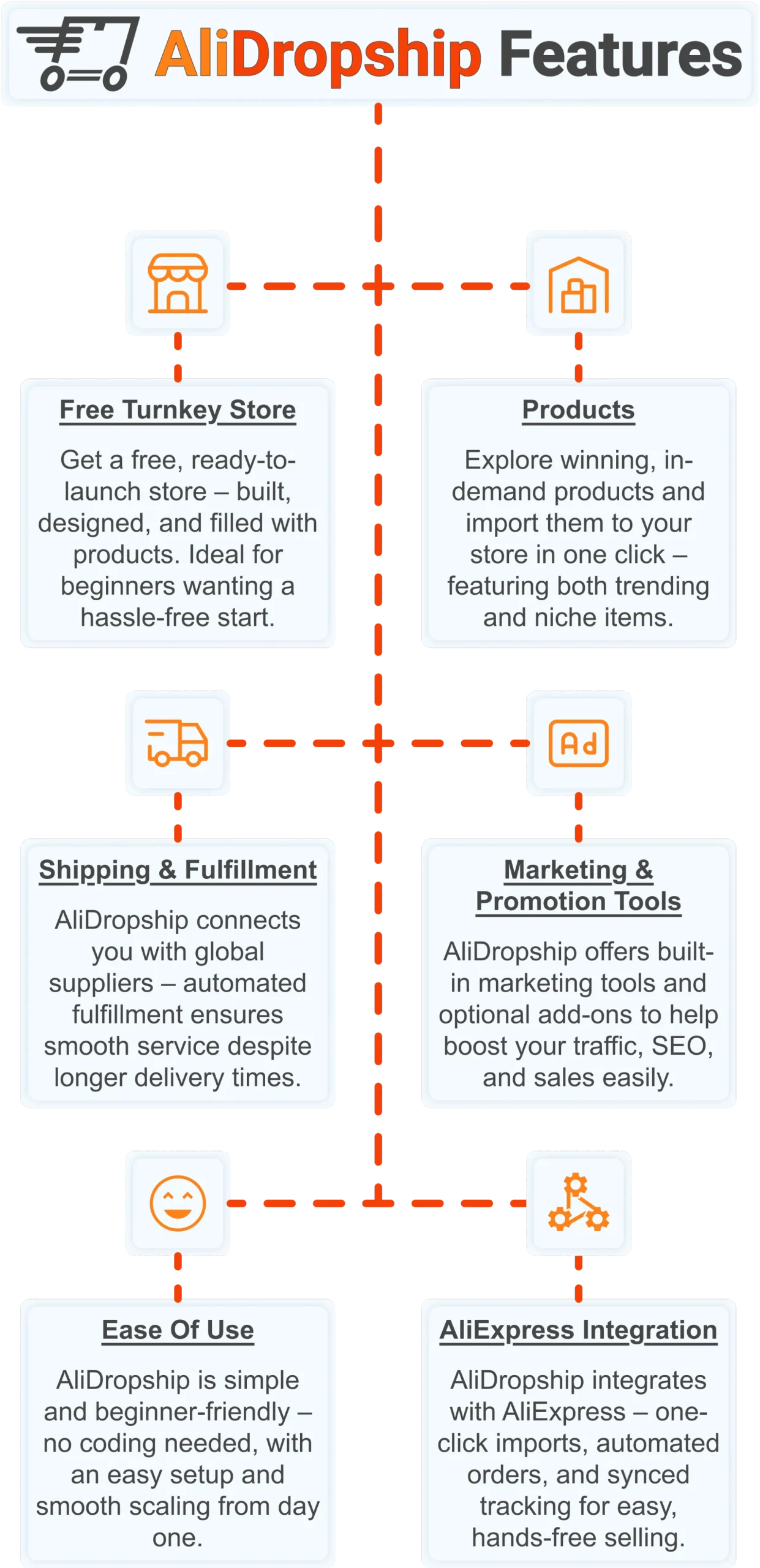
Free turnkey store ️
Get a free turnkey store – built, designed, and filled with products. Ideal for beginners wanting a hassle-free start, the store comes fully optimized to attract customers right away, saving you time on setup. Plus, it includes professional design elements to give your business a polished, trustworthy look from day one. This ready-made foundation makes it easy to move seamlessly into product selection.
Products
Once your store is set up, you can explore winning, in-demand products and import them in one click – featuring both trending and niche items. This wide selection lets you cater to diverse customer interests and test what works best. Regular updates ensure you always have fresh products, keeping your store competitive and relevant. With great products in place, smooth shipping becomes the next essential step.
Shipping & fulfillment
AliDropship connects you with global suppliers, and automated fulfillment ensures seamless order processing despite international delivery times. Customers receive real-time tracking updates, which builds confidence and trust in your store. Once shipping is handled reliably, you can focus on promoting your store and attracting traffic.
Marketing & promotion tools
To maximize sales, AliDropship offers built-in marketing tools and optional add-ons that help boost traffic, SEO, and conversions. From email campaigns and discounts to social media integration, these tools empower you to reach and retain customers without needing prior marketing experience. With promotion strategies in place, managing your business becomes simpler and more efficient.
Ease of use
AliDropship is beginner-friendly – no coding needed, with an intuitive dashboard that guides you through every step. Easy setup and smooth scaling let you expand your store without stress. As your business grows, adding new features, products, and marketing campaigns remains hassle-free, giving you more time to focus on sales.
AliExpress integration
Finally, AliDropship integrates seamlessly with AliExpress, enabling one-click imports, automated orders, and synced tracking. Your inventory stays up-to-date with the latest products and prices, while automated order processing frees you from manual tasks. Combined with the turnkey setup, reliable shipping, and built-in marketing tools, this integration ensures your dropshipping business is fully equipped for growth and success.
Frequently Asked Questions
Is Microsoft Clarity really free for ecommerce stores?
Microsoft Clarity is completely free with no session cap and no premium tier of any kind. It was launched by Microsoft in 2020 and is now used on millions of websites worldwide. This differs sharply from Google Analytics 4, where GA360 starts at 50000 per year. Setup takes under 10 minutes and requires no credit card at any point.
How much store traffic do I need before Microsoft Clarity data is useful?
Microsoft Clarity for ecommerce is most valuable once a store reaches at least 200 to 500 sessions per week. Below that threshold, heatmaps and recordings will not have enough data to surface reliable conclusions. Once a store hits that volume, actionable patterns typically emerge within two to four weeks. Many store owners find their first major fix within days of installation.
What is a rage click in Microsoft Clarity session recordings?
A rage click is detected when a visitor clicks the same element rapidly multiple times out of frustration. This almost always signals something broken, such as an unresponsive button, a dead link, or a form field rejecting input. Sorting recordings by rage clicks and reviewing the top five sessions per week regularly surfaces a specific bug. Many store owners fix their first rage click issue within 24 hours of installing Clarity.
How does Microsoft Clarity differ from Google Analytics 4?
Microsoft Clarity focuses on on page behavior through heatmaps and session recordings, while Google Analytics 4 focuses on traffic sources and conversion tracking. Clarity offers unlimited auto tagged session recordings, while GA4 has no native session recording feature. GA4 provides detailed channel and campaign data, while Clarity offers only limited traffic source data. The two tools have a native integration, letting store owners filter Clarity recordings by GA4 audience segments.
How can heatmaps improve conversions on ecommerce product pages?
Repositioning calls to action based on heatmap data can lift click through rates by 10 to 30 percent. Scroll maps commonly show that 60 to 70 percent of visitors never scroll past the first product image and price. Moving key offers above the fold can increase conversions by 8 to 20 percent as a result. Fixing a single problematic checkout step identified through session recordings can recover 5 to 15 percent of abandoned carts.
Microsoft Clarity tells you exactly what your visitors are doing – AliDropship gives you a store worth analyzing, optimizing, and growing from day one. Claim your free turnkey store and start turning behavior data into real revenue.
 Previous post
