 ‧ Agnes Kazaryan ‧
August 23, 2026
‧ Agnes Kazaryan ‧
August 23, 2026  321 ‧
321 ‧
 0
0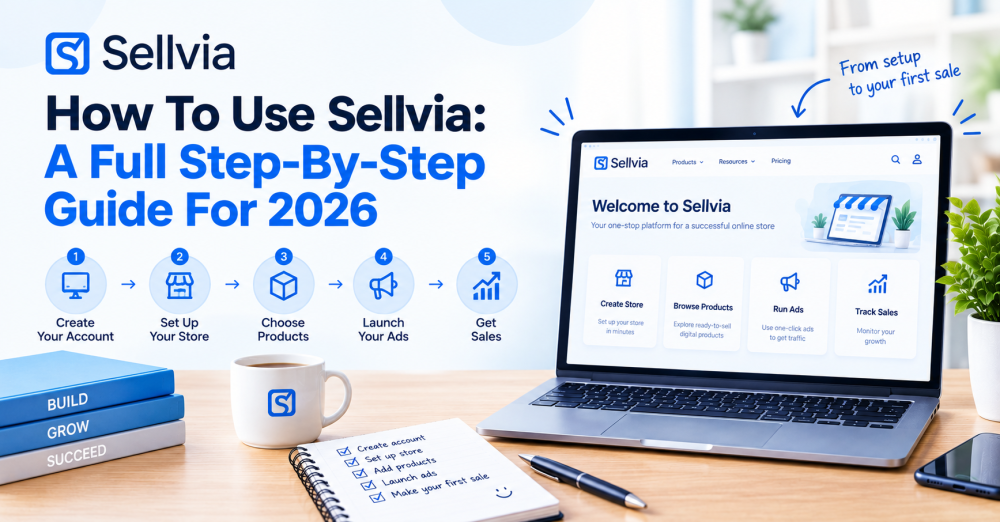
Quick Answer: Using Sellvia comes down to four steps – sign up for the free trial, choose which products to feature in your pre-built store, turn on the built-in ads, and track your orders as sales come in – with no design, coding, or product sourcing required at any point.
If you have signed up for Sellvia, or are about to, it helps to know exactly what happens after you click the trial link. Unlike a store builder where you start from a blank page, Sellvia hands you a finished store and asks you to make a handful of decisions from there. This article walks through each step in order, plus what to actually do once your store is live.
What does using Sellvia actually involve?
Using Sellvia means working inside a store that already exists rather than building one from scratch. Your job is to choose which digital products from Sellvia’s catalog to feature, turn on the built-in advertising system, and then monitor orders and sales as they come in. There is no theme to design, no product descriptions to write, and no supplier to manage, since every product is digital and delivers to the buyer instantly.
How much can you realistically earn using Sellvia?
These figures are illustrative ranges tied to effort level, not typical or guaranteed results – how close you get depends on which products you feature, your ad budget, and how closely you manage your campaigns.
Important note: It is possible to see a sale within your first week of using Sellvia. It is not accurate to say most sellers do, since the company has not published data breaking down what a typical seller earns.
Setting up your store
Signing up starts the 14-day free trial, which includes a $40 ad credit. Your store arrives already built, so there is no design step to complete – the storefront, hosting, and checkout are all handled for you from the moment you sign up.
What to check first
Before doing anything else, take a few minutes to look through your dashboard: your store’s live link, the products already loaded into it, and the trial start date. Screenshotting the trial start date and the stated post-trial price is a simple habit that saves confusion later, regardless of which platform you use.
Choosing which products to feature
Your store comes pre-loaded with products from Sellvia’s catalog, organized by niche – guides, courses, checklists, and similar digital tools. Rather than featuring everything at once, most stores perform better narrowed to a single niche or a small handful of related ones, since a focused store is easier to market than a broad, unfocused one.
Picking a starting niche
Look through the categories available and pick one that matches a topic you already have some interest in or familiarity with – this makes it easier to write about, talk about, or promote the products convincingly. You can always add or swap products later, so the first choice does not need to be permanent.
Turning on your ads
Sellvia’s one-click advertising system handles targeting, creatives, and optimization for you, so you do not need to learn Facebook or Google Ads yourself. Choose a daily budget of $10 to $50, and your store can start selling the same day you turn ads on. The $40 ad credit included in your trial lets you test the system before spending your own money.
Setting a starting budget
Starting near the lower end of the range and watching results for a few days before increasing spend is a reasonable approach for a first campaign. Turning ads on gets your store in front of buyers – how much you sell from there still depends on your products and how you run things.
Tracking orders and sales
Once ads are running, check your dashboard regularly to see orders, which products are selling, and how your ad spend compares to your sales. You keep 50 to 70% of each sale as your share, before ad spend, your monthly plan, and order fees, so keeping an eye on that math from day one helps you judge whether a given product or campaign is actually working.
What to look for in your numbers
Beyond the total sales figure, pay attention to which specific products are converting versus which ones are getting clicks but no sales – that difference tells you whether the problem is your ad targeting or the product itself. If one product in your niche is clearly outperforming the others, that is usually a stronger signal than trying to average performance across everything you have featured.
Why this works in 2026: Checking your numbers early and often, rather than waiting weeks to look, lets you catch a campaign that is not working before it costs you much more than it needed to.
Deciding what to do after the trial ends
Important: Set a reminder before your 14-day trial ends, since the $39 monthly plan begins automatically unless you cancel first. Cancelling before the trial ends means no charge; continuing means the plan renews at $39 a month going forward.
Use the trial period itself to judge whether the niche and products you picked are working, rather than deciding in the first day or two. If your first choice of products or niche is not getting traction, most of the same setup steps apply to trying a different one before your trial period runs out.
If you decide to continue
Once you are past the trial and paying the monthly plan, the same core loop continues: check which products are converting, adjust your ad budget toward what is working, and add new products from the catalog as you find room in your niche. There is no separate “next phase” of setup – using Sellvia after the trial looks the same as during it, just with real money instead of ad credit behind your campaigns.
Legal and ethical considerations
Key principle: Whatever products you feature, describe them accurately to your own customers and avoid adding your own promises about results on top of what the product description already says.
What to avoid: presenting any product’s expected results in absolute terms, or implying a guaranteed outcome from a guide or course. What to do instead: let the product speak to what it teaches or covers, and keep your own marketing language similarly grounded.
Final thoughts: Getting the most out of Sellvia
The mechanics of using Sellvia are simple by design – sign up, pick products, turn on ads, and track results – but how well it works still depends on the choices you make inside that structure.
- Complete beginner: Pick one niche, feature a small handful of products from it, and use the trial’s ad credit to see what gets any traction before spending your own money.
- Intermediate or part-time seller: Track which specific products convert best, and lean your ad budget toward those rather than spreading it evenly across your whole catalog.
- Advanced or full-time goal: Consider running more than one focused store around different niches, since a narrower audience match tends to perform better per ad dollar than a broad, unfocused one.
Sellvia: Your complete all-in-one solution for starting an online business in 2026
If you want the simplest possible way to start an online business – especially if you’re brand new – Sellvia remains one of the most beginner-friendly platforms available in 2026. It gives you a fully built online store pre-loaded with digital products you can sell right away, plus one-click ads to help bring in buyers, so there is no design, coding, or product sourcing required to get started.
Prebuilt store, ready to sell
Sign up and your store arrives already built and pre-loaded with digital products you can sell immediately – no design, coding, or product sourcing required on your end. You choose which products to feature from the Sellvia catalog rather than creating your own. The store works from your phone or computer, so there is no separate software to install. With the store itself handled, running ads is the next step.
One-click ads built in
Instead of learning Facebook or Google Ads yourself, Sellvia’s built-in advertising system handles targeting, creatives, and optimization for you. You choose a daily budget of $10 to $50, and your store can start selling the same day you turn on ads. A $40 ad credit is included free during your trial, so you can test the system before spending your own money. Turning ads on gets your store in front of buyers – how much you sell from there still depends on your products and how you run things.
Digital products, no logistics headaches
Every product in the Sellvia catalog is digital – guides, courses, checklists, and similar tools created by Sellvia, not by you. There is no inventory, no shipping, and no warehouse involved, since each purchase is delivered to the buyer instantly. You keep 50 to 70% of each sale as your share, before ad spend, your monthly plan, and order fees. This removes the operational side that slows down most physical-product businesses.
Built for zero experience, zero tech skills
Every part of Sellvia is designed for someone who has never done this before – the dashboard works from a phone, the language stays simple, and a personal growth manager is available to answer questions as you go. There is no coding, design, or marketing background required to get your store live. This is one of the clearest differences between Sellvia and store-builder platforms like Shopify or Wix, which expect you to build, source, and market on your own. Once your store and ads are running, understanding the real costs is worth doing upfront.
A low monthly plan, costs shown upfront
Sellvia’s monthly plan costs $39, or about $1.30 a day, after a 14-day free trial that includes a $40 ad credit. During the trial the store itself is free to use; order fees only apply once a sale actually happens. After the trial ends, the $39 monthly plan continues automatically – you can cancel anytime before then with no charge. Beyond the base plan, ad spend, product packs, and other upgrades are separate costs worth budgeting for as you grow.
Backed by real recognition
Sellvia is a member of the Forbes Communications Council and the Entrepreneur Leadership Network, and it ranked 1,818th on the 2022 Inc. 5000 list of fastest-growing private companies. The platform has also picked up industry awards from TITAN, Hermes Creative Awards, MarCom, and dotCOMM. More than 1,500,000 stores have launched on Sellvia, and store owners have earned $1.5B+ in total. These are the kinds of independent, checkable signals worth looking for before trusting any online business platform.
The fastest way to see how this works is to walk through it yourself. Start your free Sellvia trial and follow along.
Free for 14 days with a $40 ad credit. $39/month after the trial. Cancel anytime before then – no charge.
Frequently asked questions
How do I get started using Sellvia?
Sign up for the 14-day free trial, which includes a 40 dollar ad credit. Your store arrives already built, so your first steps are choosing which products to feature from the catalog and turning on the built-in ad system. There is no design, coding, or product sourcing required at any point.
How do I choose products to sell on Sellvia?
Look through the catalog by niche and pick a small handful of related products rather than featuring everything at once. A focused store built around one topic is generally easier to market than a broad, unfocused one. You can add or swap products later as you learn what sells.
How do I turn on ads in Sellvia?
From your dashboard, choose a daily ad budget between 10 and 50 dollars, and the built-in advertising system handles targeting, creatives, and optimization automatically. The 40 dollar ad credit included in your trial lets you test this before spending your own money. Your store can start receiving orders the same day you turn ads on.
How do I track my sales on Sellvia?
Your dashboard shows orders, which products are selling, and how your ad spend compares to your sales. You keep 50 to 70 percent of each sale as your share, before ad spend, your monthly plan, and order fees. Checking this regularly, especially early on, helps you judge whether a product or campaign is working.
What happens after my Sellvia trial ends?
Unless you cancel first, the 39 dollar monthly plan begins automatically once your 14-day trial ends. Setting a reminder before the trial ends is a simple way to avoid an unexpected charge if you decide not to continue. Cancelling before the trial ends means no charge at all.
 Previous post
